

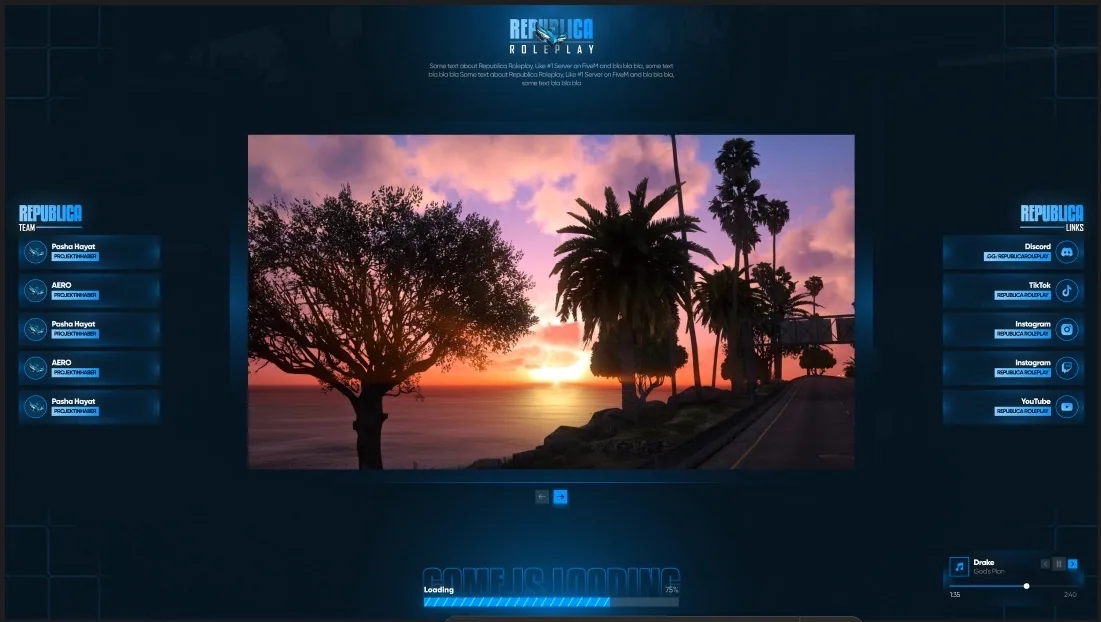
Branding, music and team information work only with low weight and a safe fallback.
What this means in practice
A loading screen has one job: explain the wait, express the brand and avoid slowing entry. Large videos, multiple fonts and unchecked music sources are performance and licensing risks, not quality signals.
The technical decision behind it
The interface follows the gameplay flow: relevant information, clear states and a safe exit. Critical decisions come from the server; NUI explains, confirms and makes errors actionable.
Implementation checklist
These three points belong in planning, review and handover:
- Design loading, empty, error and success states
- Test focus, escape, controller and resolutions
- Batch NUI messages and prevent duplicate actions
The test before launch
The key journey must work by keyboard on 16:9, ultrawide and small resolutions; timeout, ESC and resource restart must not leave focus stuck.
Workshop note: Loading Screen, Branding and Performance are tested on staging from a documented initial state.
Frequently asked questions
What should be tested before launch?
The key journey must work by keyboard on 16:9, ultrawide and small resolutions; timeout, ESC and resource restart must not leave focus stuck.
Is a custom implementation worthwhile?
Yes, when workflows, design or permissions differ from the standard. The goal is a maintainable solution with clear configuration, documentation and an update path.
Apply this to your project?
We review your starting point and develop a realistic next step.